
Many families have an old iPad or iPhone sitting in a drawer.
It is too slow for games. The battery is not what it used to be. No one uses it every day. But it still works.
That old device might be perfect for something new: a family routine board.
Instead of buying another gadget or printing another chart, you can use a screen you already own to make family life more visible.
Why a visible board beats another hidden app
Most family apps live on a parent’s phone. That can be useful, but it creates one big problem: the kids cannot see the system.
If the routine is hidden in an app only the parent opens, then the parent still has to explain, remind and repeat.
A family board changes that.
When the routine is visible in the kitchen, hallway or family room, children can look at it themselves. They can see what is happening today, what they need to do next and how close they are to their rewards.
The board becomes a shared reference point. Instead of saying “I already told you,” you can say “Check the board.”
Want calmer days like this? Start with OurFamilyHub — it’s free.
Download on the App StoreBest place to put the family board
The best place for a family routine board is somewhere the family naturally passes during the day.
Good options include:
- Kitchen counter
- Breakfast area
- Hallway near shoes and backpacks
- Family room
- Charging station
- Homework area
For school mornings, the board should be near the flow of the morning. If children eat breakfast in the kitchen, start there. If the main bottleneck is shoes and backpacks, place it near the exit.
The goal is simple: children should see the board before they need another reminder.
What to show on the board
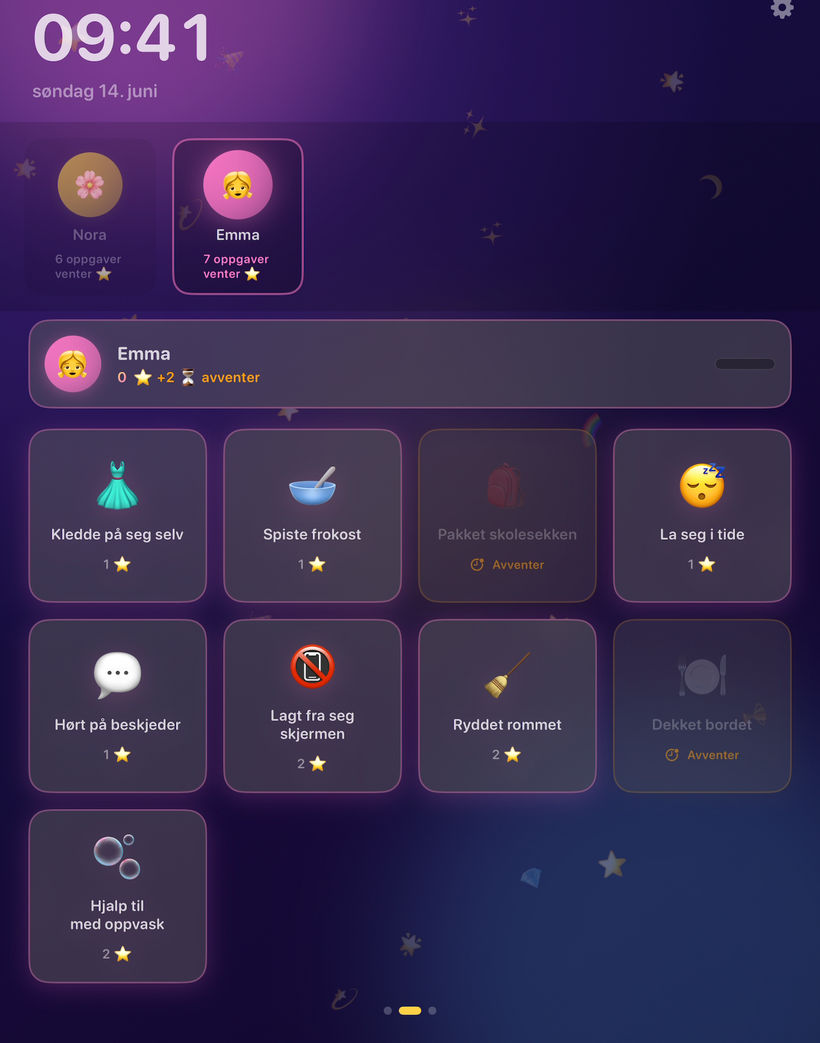
A good family board should not be overloaded. It should show the things that help the day move forward.
Routines
Morning and evening routines are the foundation. These should be short, clear and repeatable. For example: get dressed, eat breakfast, brush teeth, pack bag, shoes on — and in the evening, pajamas, brush teeth, read, bedtime.
Tasks
Tasks are the flexible part of family life. These might include emptying the dishwasher, feeding the pet, packing a gym bag, doing homework, practising piano, tidying a room or putting clothes in the laundry. With OurFamilyHub, tasks can be assigned per child and approved by a parent.
Weather
Weather is surprisingly useful on a family board. A simple weather banner can help children understand whether they need a jacket, sunscreen, rain boots or warmer clothes. This makes the board practical, not just motivational.
Rewards
Rewards give children a reason to engage. A reward ladder can show what stars are building toward: screen time, choosing dinner, a movie night, a small treat, extra story time or pocket money. When progress is visible, motivation becomes easier.
Today’s plan
Children often feel calmer when they know what is happening. A simple “today” view can help show the day’s rhythm, routines, tasks and family plans.
How to keep it child-friendly
A family board should be easy for children to understand.
Keep the design simple. Use clear steps. Avoid too much text. Make sure each child can find their own profile, stars, tasks and rewards.
Also think about how the device is used. If the iPad is placed where children can access it, you may want to use iOS Guided Access. OurFamilyHub includes guidance for setting this up, so the device can stay focused on the family board.
The point is not to lock children out of everything. The point is to make the board reliable and reduce distractions.
Parent control still matters
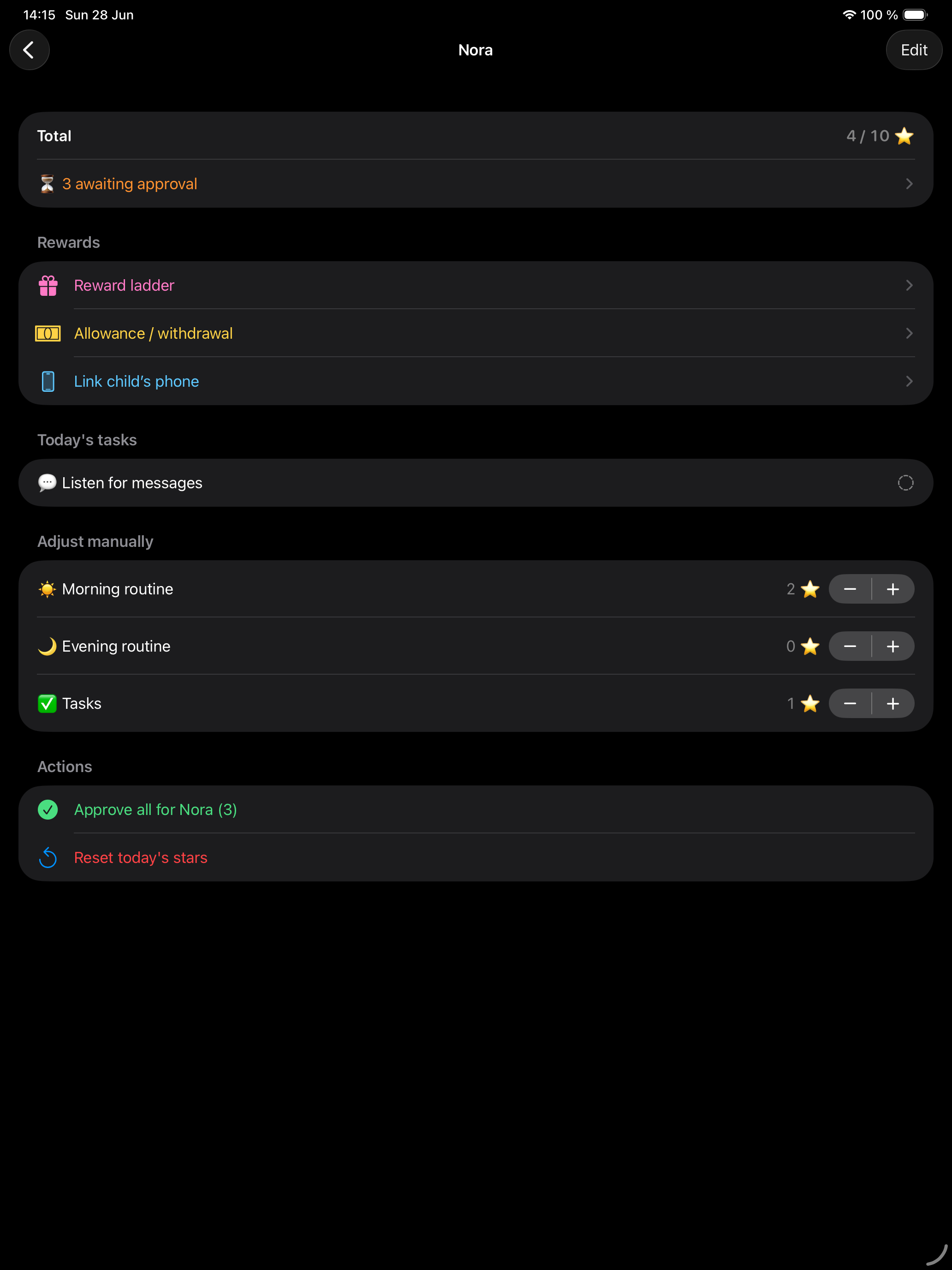
A visible board does not mean children control the whole system.
Parents should still manage routines, tasks, stars and rewards from their own iPhone. Children can participate, check off tasks and see progress, but the parent remains in control.
This balance is important. The child gets ownership. The parent keeps oversight. That is what makes a family board different from just handing over another screen.
OurFamilyHub turns these ideas into a simple board your kids can actually follow.
Download on the App StoreStart with one routine
You do not need to set up your entire family system on day one.
Start with the morning routine. Add five simple steps. Place the iPad somewhere visible. Let your child follow the board tomorrow morning. Then add tasks, rewards and other routines once the habit starts to form.
Small systems are easier to keep alive.
Give your old iPad a new job
The best family tools are often the ones that fit naturally into the life you already have.
An old iPad can become more than a forgotten device. It can become the family’s shared routine board — a place where kids see what to do, parents carry less in their heads and everyday routines become easier to follow.